

USB B cables are one of the most overlooked but essential parts of any DJ setup. Every controller from Pioneer to Native Instruments relies on a stable USB connection to transmit audio and MIDI data. If your cable fails, your entire set can drop out.
A high quality USB B cable ensures stable data transfer, zero dropouts, and long term durability. While most DJs start with a basic printer cable, upgrading to a purpose built audio cable can significantly improve reliability, especially in clubs or live environments.
USB 2.0 cables used by most DJ controllers support speeds up to 480 Mbps, which is more than enough for audio and MIDI transmission . However, shielding, connector quality, and build materials are what separate cheap cables from professional ones.
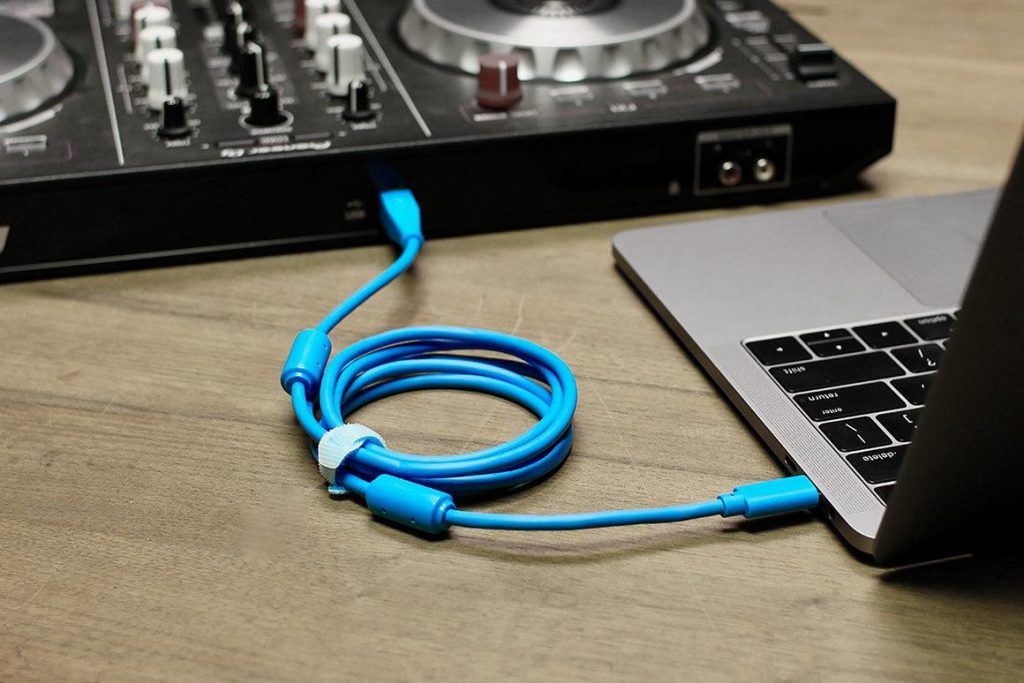
A USB B cable connects your DJ controller to your laptop. The flat USB A end plugs into your computer, while the square USB B end connects to the controller.
This standard design exists to prevent incorrect connections and ensure stable host to device communication .
Common compatible gear includes:
£16.00•Get In The Mix + others
4.7
£16.00•Get In The Mix + others•
4.7
The DJ TechTools Chroma cable is widely used by touring DJs. It is designed specifically for performance environments where interference and cable strain are common.
Key features:
This is ideal for DJs who perform regularly and want a reliable, professional cable.
Keple USB B Cable for DJ Controllers · £6.99
Affordable and reliable USB cable for beginner and home DJ setups.
The Keple USB B cable is one of the most commonly purchased options on Amazon. It offers solid performance at a low cost.
Key specs:
Best for beginners or backup cables.
NEO D+ Class B USB Cable · £19.95 · 4.8
High end audio optimised cable designed for DJs and producers.
NEO cables are designed with audio performance in mind. These are often used in professional studio and club environments.
Key features:
Perfect for DJs who want maximum signal stability and premium build quality.
| Feature | DJ TechTools Chroma USB Cable£16.00•Get In The Mix + others | Keple USB B Cable£6.99•Amazon.co.uk – Amazon.co.uk-Seller + others | NEO D+ Class B USB Cable£19.95•Bop DJ + others |
|---|---|---|---|
| Price range | £15 to £20 | £5 to £8 | £20 to £40 |
| Build quality | High | Medium | Premium |
| Shielding | Advanced | Standard | High end |
| Length options | 1 m to 2 m | 1 m to 3 m | 1 m to 2 m |
| Best for | Club DJs | Beginners | Pro setups |
| Buy | Buy Now | Buy Now | Buy Now |
A well shielded cable prevents interference from other electronics. This is critical in clubs with lots of power cables and lighting equipment.
USB 2.0 cables are generally reliable up to about 5 metres, but shorter cables provide more stable connections .
Look for:
Most DJ controllers use USB A to B, but newer laptops may require USB C adapters or cables.
Budget cables work fine for home use, but professional DJs should invest in higher quality cables to avoid dropouts.
Typical price ranges:
A poor cable can cause:
Professional cables often include features like ferrite cores and multi shielding to eliminate noise and interference .
Even though USB cables look simple, they play a critical role in performance stability.
Most DJ controllers use a USB A to USB B cable. This is the standard connection for MIDI and audio devices.
For DJs, yes. Better cables provide stronger shielding and more reliable connections, especially in live environments.
Yes, but it is not ideal. Basic cables lack shielding and durability compared to DJ specific cables.
1 to 2 metres is ideal. Longer cables can introduce signal issues and clutter your setup.
Many newer laptops use USB C ports, but most DJ controllers still use USB B. You may need a USB C to USB B cable or adapter.
Common causes include:
They help prevent corrosion and improve long term reliability, especially in humid or club environments.
Yes. Every DJ should have at least one backup USB cable to avoid failures during a set.
USB B cables might seem like a small part of your setup, but they are critical for performance stability. Investing in a reliable cable can prevent technical issues and protect your set.
For beginners, a budget cable like Keple is perfectly fine. For regular gigs or club use, upgrading to DJ TechTools or NEO cables is a smart move.
If you are serious about DJing, treat your USB cable like essential gear, not an afterthought.
Click now to view and buy on Amazon: https://amzn.to/48sKm9t