


If you are serious about DJing, your USB drive is one of the most important pieces of gear you own. A slow or unreliable drive can ruin a set, cause lag when loading tracks, or even fail mid performance.
Modern DJ systems such as those from Pioneer DJ rely heavily on USB media for playback. Whether you are using CDJs or standalone controllers, choosing the right USB drive ensures fast browsing, stable playback and peace of mind in a live environment.
In this guide, we break down the best DJ USB drives in 2026, including technical specifications, pricing, and expert recommendations.
Before choosing a USB, it is important to understand what actually matters for DJ use.
Look for USB 3.0 or higher. Faster read speeds mean:
A cheap USB might work at home but fail in a club. DJs need:
Most professional setups, especially Pioneer DJ gear, prefer:
Typical DJ needs:
The SanDisk Extreme Pro is widely considered the industry standard for DJs.
Key specifications
Why it stands out
This drive offers exceptional speed and reliability, making it perfect for club environments. It handles large music libraries with ease and reduces loading times significantly.
Typical price
£25 to £60 depending on capacity
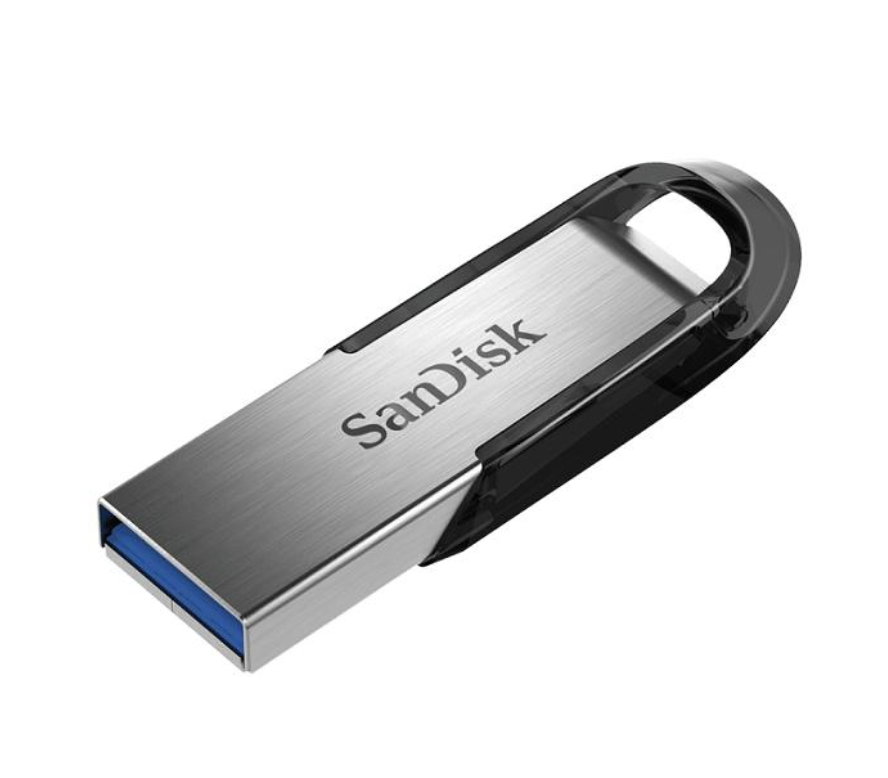
A more affordable option that still performs well.
Key specifications
Why DJs use it
Reliable and budget friendly, this is a solid entry level choice for beginners or backup drives.
Typical price
£10 to £25
Samsung brings durability and sleek design.
Key specifications
Why it is popular
The rugged design makes it ideal for travel and mobile DJs. It is built to survive drops, spills and heavy use.
Typical price
£15 to £40
A high performance USB for demanding DJs.
Key specifications
Best for
Professional DJs with massive libraries and high performance needs.
Typical price
£40 to £90
A strong alternative with premium speeds.
Key specifications
Why consider it
Less mainstream but highly capable, offering excellent value for performance.
Typical price
£30 to £70
| Model | Speed | Capacity | Best For | Price Range |
|---|---|---|---|---|
| SanDisk Extreme Pro | Very high | 64GB to 256GB | Professionals | £25 to £60 Click Here to Buy on Amazon |
| SanDisk Ultra Flair | Medium | 32GB to 128GB | Beginners | £10 to £25 Click Here to Buy on Amazon |
| Samsung BAR Plus | High | 64GB to 256GB | Mobile DJs | £15 to £40 Click Here to Buy on Amazon |
| Kingston DataTraveler Max | Ultra high | 128GB to 1TB | Large libraries | £40 to £90 Click Here to Buy on Amazon |
| Lexar JumpDrive P30 | High | 64GB to 256GB | Performance value | £30 to £70 Click Here to Buy on Amazon |
Most DJs prepare their music using software like Rekordbox. Tracks are exported to USB drives and then plugged directly into CDJs or standalone units.
A typical workflow includes:
Using a fast USB reduces export time and improves performance when browsing tracks live.
Cheap drives often fail or slow down over time. This is risky in live environments.
Not all USB 3.0 drives are equal. Always check actual read and write speeds.
Professional DJs always carry at least two USB drives with identical libraries.
Stick to FAT32 or exFAT to ensure compatibility with most DJ equipment.
Your budget should reflect how serious you are about DJing.
For club use, it is worth investing in a high quality USB to avoid performance issues.
Most DJs use 64GB or 128GB. This provides enough space for thousands of tracks without slowing down performance.
Yes, but higher speeds are better. USB 3.2 drives offer faster loading and smoother browsing.
Not all USB drives work well. Stick to reliable brands like SanDisk, Samsung, and Kingston.
Some modern setups support SSDs, but USB drives remain the standard due to portability and compatibility.
This can be caused by:
Many club DJs use USB drives for reliability and simplicity, especially with Pioneer DJ systems.
At least two identical USB drives, plus a backup if possible.
FAT32 is the safest option for maximum compatibility.
A high quality USB drive is essential for any DJ. It directly affects your performance, reliability and confidence behind the decks.
If you want the best overall choice, go with the SanDisk Extreme Pro. If you are just starting out, the SanDisk Ultra Flair is a great budget option.
Always prioritise speed, reliability and compatibility over price.
Click now to view and buy on Amazon: https://amzn.to/42IVVGr